Brand Kit Colors Now Live in the APN Editor!
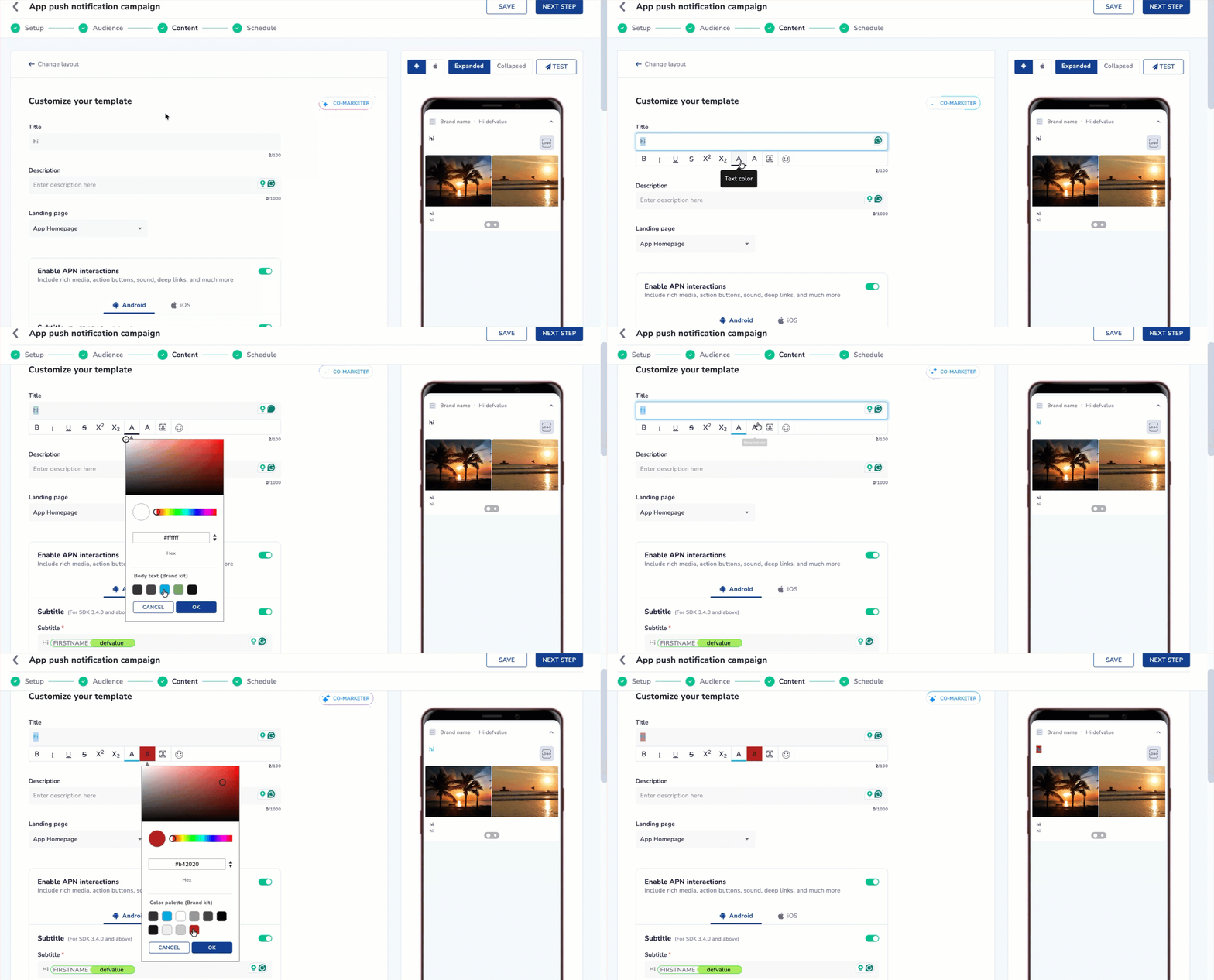
Creating on-brand App Push Notifications just got faster and easier. You can now access your Active Brand Kit’s color palette directly inside the APN color picker.
No more copying hex codes. No more switching screens. Just design and go.
Prerequisite: Ensure you have an active Brandkit in your panel. If not, then set it up from Content > Brandkit section.
Refer to Brandkit documentation to set it up.
What’s New
Instantly apply your brand’s approved colors while designing APNs
One-click color selection for text, backgrounds, CTAs, timers, and progress bars
The APN editor automatically reflects the Brand Kit marked as Active
Works seamlessly across all APN templates and on-the-fly broadcast campaigns
Why It Matters
This update fits right into the existing APN editor—no changes to current color picker behavior, just a powerful boost to speed, consistency, and brand accuracy. Your brand colors are now exactly where you need them—inside the APN editor, live and ready to use.
Refer to the documentation here.