Form Configuration in DIY AMP editor🙌 🔥
Do you wish you could send condition-based personalized AMP emails at once? We've got you covered!
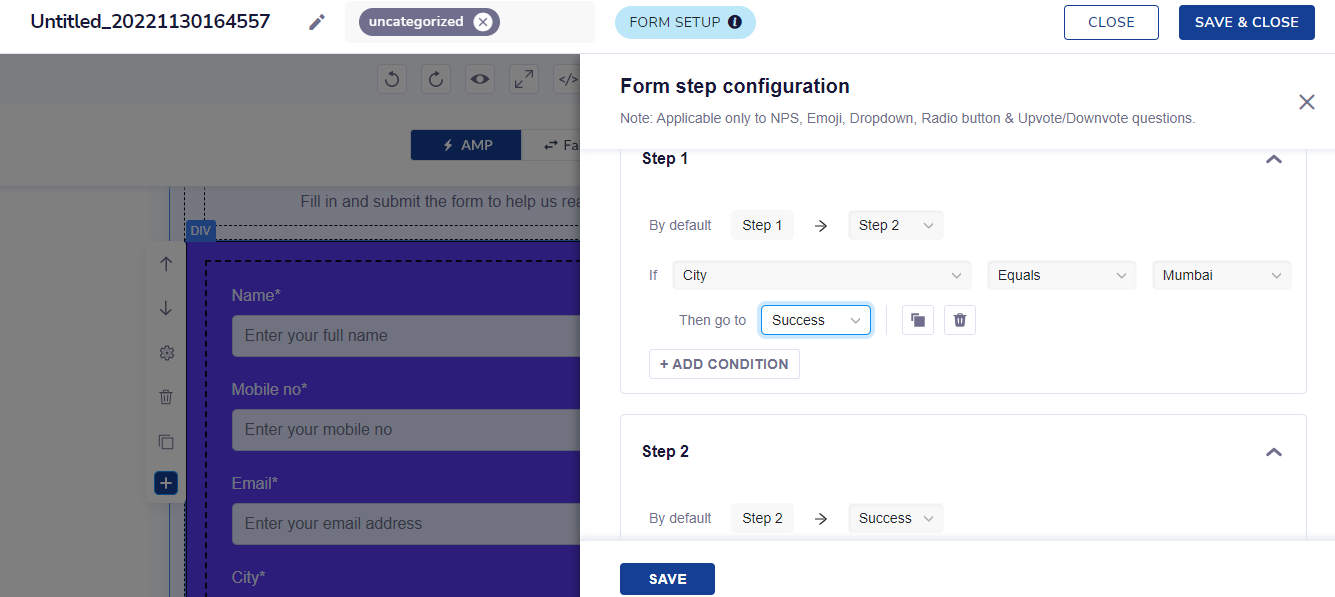
We've released Form configuration in the AMP editor - a feature that will allow you to set conditions and decide the flow of the Multi-step form to send scenario-based AMP emails.
Let's take an example of the NPS survey.
Scenario 1: If the end user responds 5 or less on the NPS scale, it can be implied that the user is not satisfied. You may want the next set of questions to be about suggesting points of improvement or about specifying what went wrong. Scenario 2: If a user responds 6 or more, it can be implied that the user is satisfied with the service and you may then ask for points that the user loved about the product/service.
Imagine receiving such personalized user feedback through the same AMP email!
Navigation
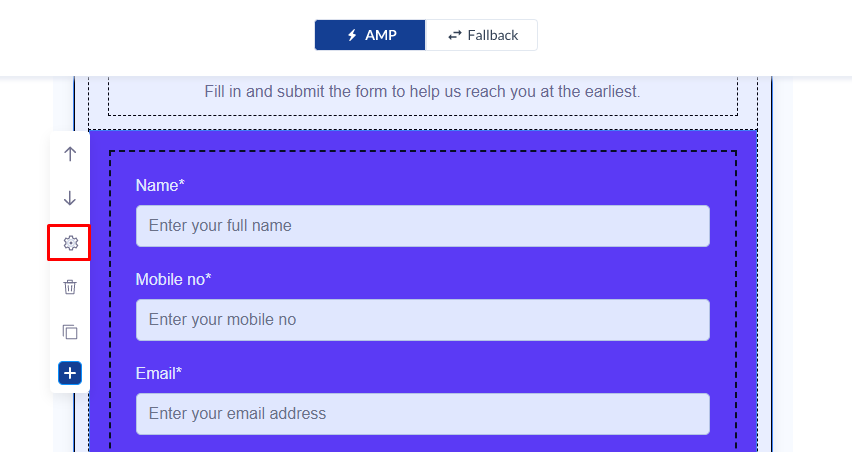
Go to AMP Templates > Create a new AMP template or select from the gallery > Click on the settings icon after clicking the Form block
Key details:
- Conditions can be added only for options/dropdown/rating questions
- The format of each condition will be Question > Operator > Value
- All conditions added are auto-saved
- After adding the conditions, you can test & verify the entire conditional flow through the AMP preview