Product Collection in WhatsApp
What’s New
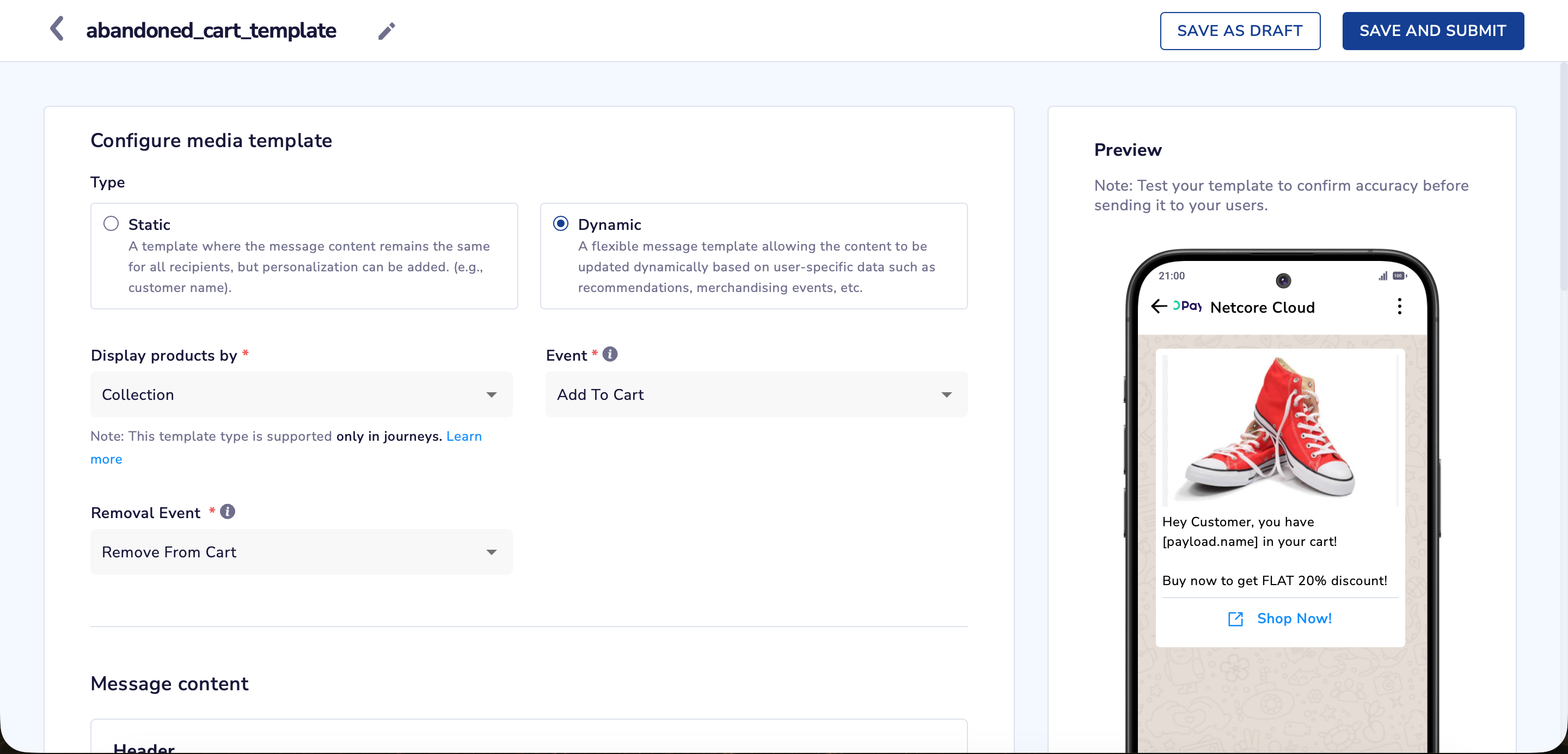
We’re excited to announce support for Product Collection templates in WhatsApp Journeys. With this enhancement, marketers can now send dynamic, personalized product messages on WhatsApp using rich media templates based on users’ most recent actions.
This feature brings the same power of product collections from email into WhatsApp, enabling highly contextual nudges that improve engagement and boost conversions.
Key Capabilities
Dynamic Product Display: Automatically showcase the most recently interacted product from user behavior (e.g., add to cart, view, wishlist, etc.).
Rich Media Template Support: Works with WhatsApp Rich Media templates for a visual, conversion-oriented experience.
Event-Based Personalization: Trigger messages based on system or custom events like cart abandonment, product view, search abandonment, and more.
Integrated Journey Support: Templates can be used inside Journeys with claim/abandon event logic and activity triggers.
Real-Time Relevance: Helps drive recall and conversions by targeting users at their moment of highest intent.
How It Works
Create a Rich Media WhatsApp template and select Dynamic > Collection.
Choose a qualifying user event (e.g., Add to Cart).
Use dynamic personalization to pull product data and insert product image, name, and details.
Add the template to a Journey Message Node and configure claim/abandon events.
Note: Ensure the “Keep only the latest Add to Cart” toggle is enabled in the journey node for accurate targeting.
Additional Notes
Available only in Journeys.
Templates must be approved by Meta before use.
Follows Netcore’s data retention policy for user activity.
Does not currently support partial quantity removal handling.
Check out the full documentation here: Product Collection in WhatsApp