Product Feature Announcement: Advanced Send Time Optimization (STO)🎉
We are excited to announce the launch of Advanced Send Time Optimization (STO).
STO leverages machine learning capabilities to personalize communication timings for each user based on their engagement behavior with our brand. This feature is designed to enhance the effectiveness of our email/APN communication and increase user engagement.
While we already had the above features, with the Advanced STO, we now also have the control to set the end-time of a campaign and also decide what action we want to take for the unpredictable base.
Key Features of Advanced Send Time Optimization (STO)
1. Personalized Communication Time: STO allows users to receive emails/APNs at their preferred time, determined by their past interaction patterns. By analyzing user engagement behavior, our ML engine, Raman, predicts the preferred hour for each user, optimizing the timing of email delivery.
2. Increased Email Open Rates: By delivering emails/APNs at the preferred time, STO increases the likelihood of user engagement. For example, if a user consistently opens emails at 1:00 PM, the system will send their next email at 1:00 PM using STO, maximizing the chances of email opens.
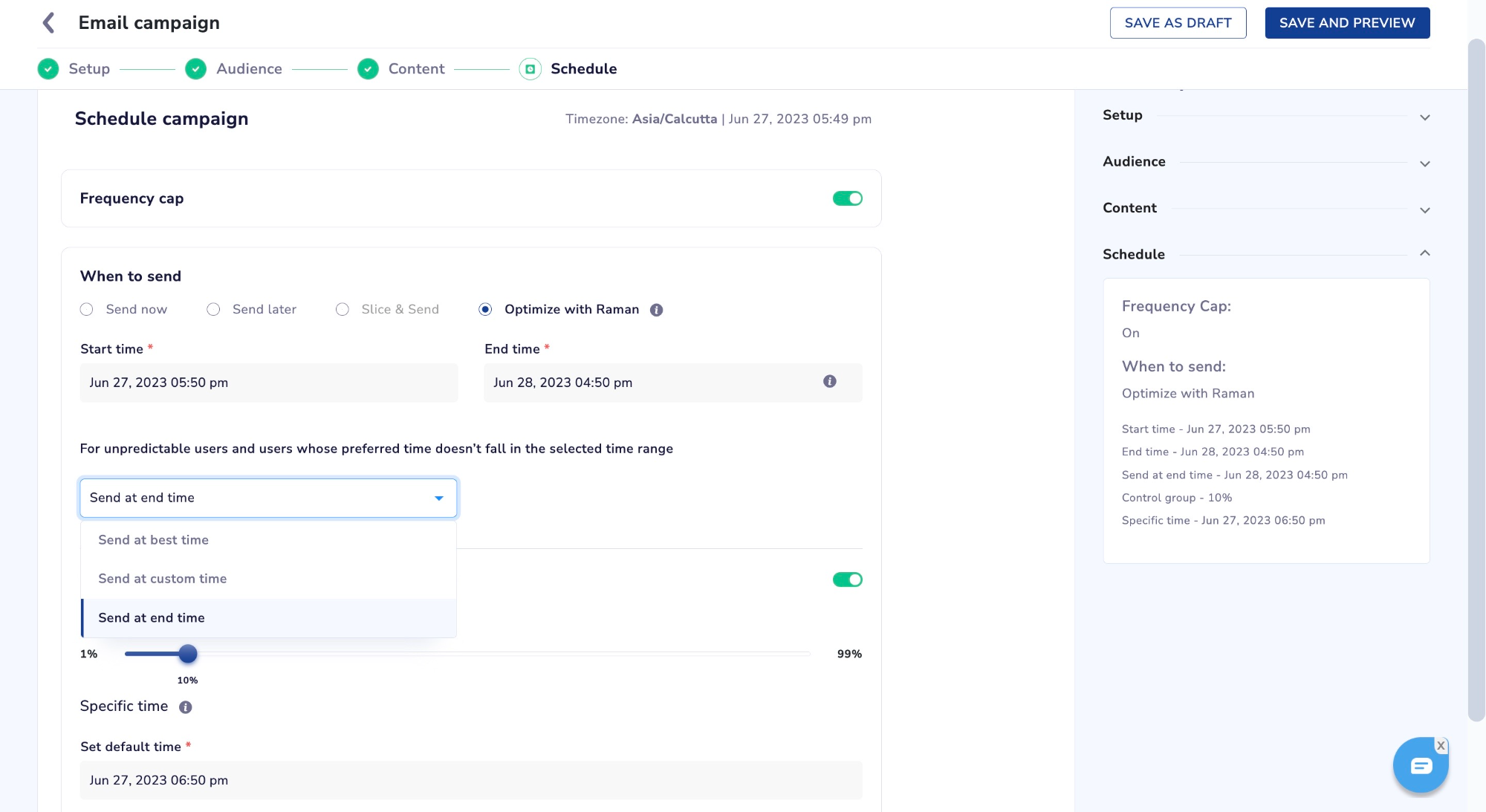
How STO Works:
1. Preferred Hour Delivery: In each STO campaign, Raman sends communications to users at their preferred hour, ensuring personalized delivery.
2. Customizable Campaign Duration: STO campaigns are executed across 24 hours by default, starting from the selected campaign start time. You can also set an end-time for the campaign if you want to limit the duration. Please note that the end-time must be set at least 4 hours after the start time.
3. Options for Unpredictable Base: Users whose Preferred hour does not fall within the start and end-time and unpredictable users are categorized under this group. For this segment, you have the following options:
- Send at Best Time: Emails/APNs are sent at the best time across the entire user base of the client, based on the engagement dashboard.
- Send at Custom Time: Users can select a specific time within the 24-hour window from the campaign start time.
- Send at End Time: Emails are sent at the end of the email campaign, which is the default selection.
OR
- Send at Start Time: APNs are sent at the end of the campaign, which is the default selection.
Control Group:
You can further enhance your analysis by adding a control group to your STO campaign. By enabling the control group toggle in the Schedule section, you can select a percentage of your audience to assign to the control group. Control group users, randomly selected from the predictable user base, receive emails at the same specified time for comparison and analysis.
Campaign Listing:
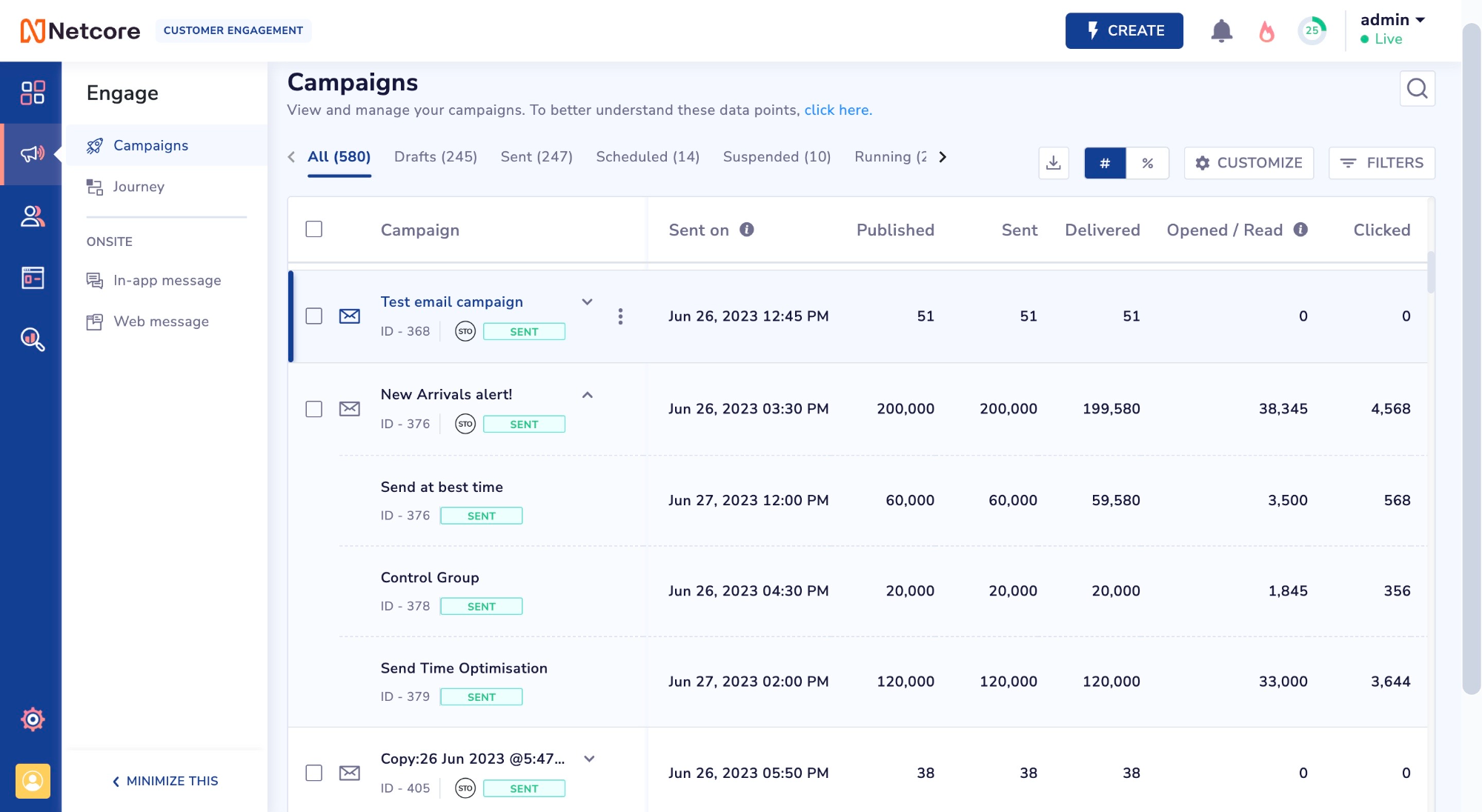
The output of STO campaigns will be visible under the Engage -> Campaigns section, providing a comprehensive view of campaign performance.
To enable this feature or for any further assistance, please contact [email protected].