Send Your Netcore Events to Mixpanel in Real Time
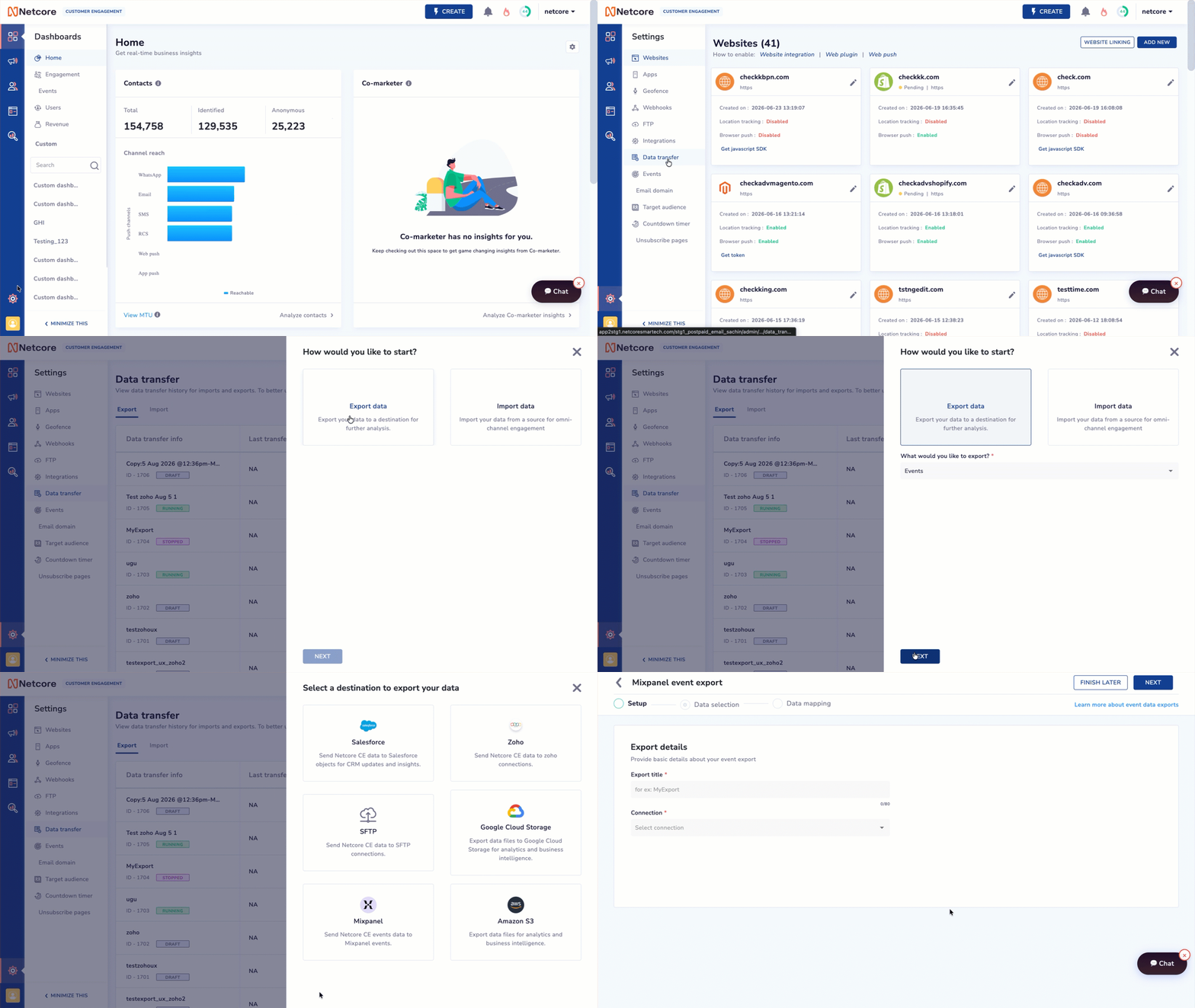
Exporting events to Mixpanel used to run through the same file-based flow as any other destination. But Mixpanel doesn’t work off files, it expects a live stream.
Introducing Mixpanel as a live-stream export destination on Netcore CE. Connect it once, map your fields, and events flow to Mixpanel the moment they happen, no file, no schedule.
What’s New
Added Mixpanel as an Egress Data Transfer destination, built for live streaming, so there’s no file format or export mode to configure.
Added a 3-step setup, Setup, Data Selection, and Data Mapping, to take you from connection to launch.
Added field-level mapping from Netcore to Mixpanel, covering the required fields, event, time, distinct_id, and $insert_id, plus any custom fields you choose to send.
Added a Test option that runs your mapping against a real identifier before you go live, without touching production data.
Why It Matters
No more stale dashboards: your Mixpanel funnels, retention, and cohort views update in near real time, not off yesterday’s file.
No more format guesswork: since Mixpanel isn’t file-based, you skip picking an export format or a schedule that never quite fit.
No more blind mapping: test your field mapping before it goes live, so mismatches get caught before they show up as bad data in Mixpanel.
Prerequisites: Mixpanel integration connected under Settings > Integrations > Catalog; this transfer currently supports Identified contacts only, and pausing an export limits backlog resync on resume to the past 7 days.
Navigate to Settings > Data Transfer > CREATE NEW and select Mixpanel to start streaming your events.
P.S. This is a paid feature.
Read the documentation to know more.