Test Multiple Variants with A/B and Split Web Message Campaigns
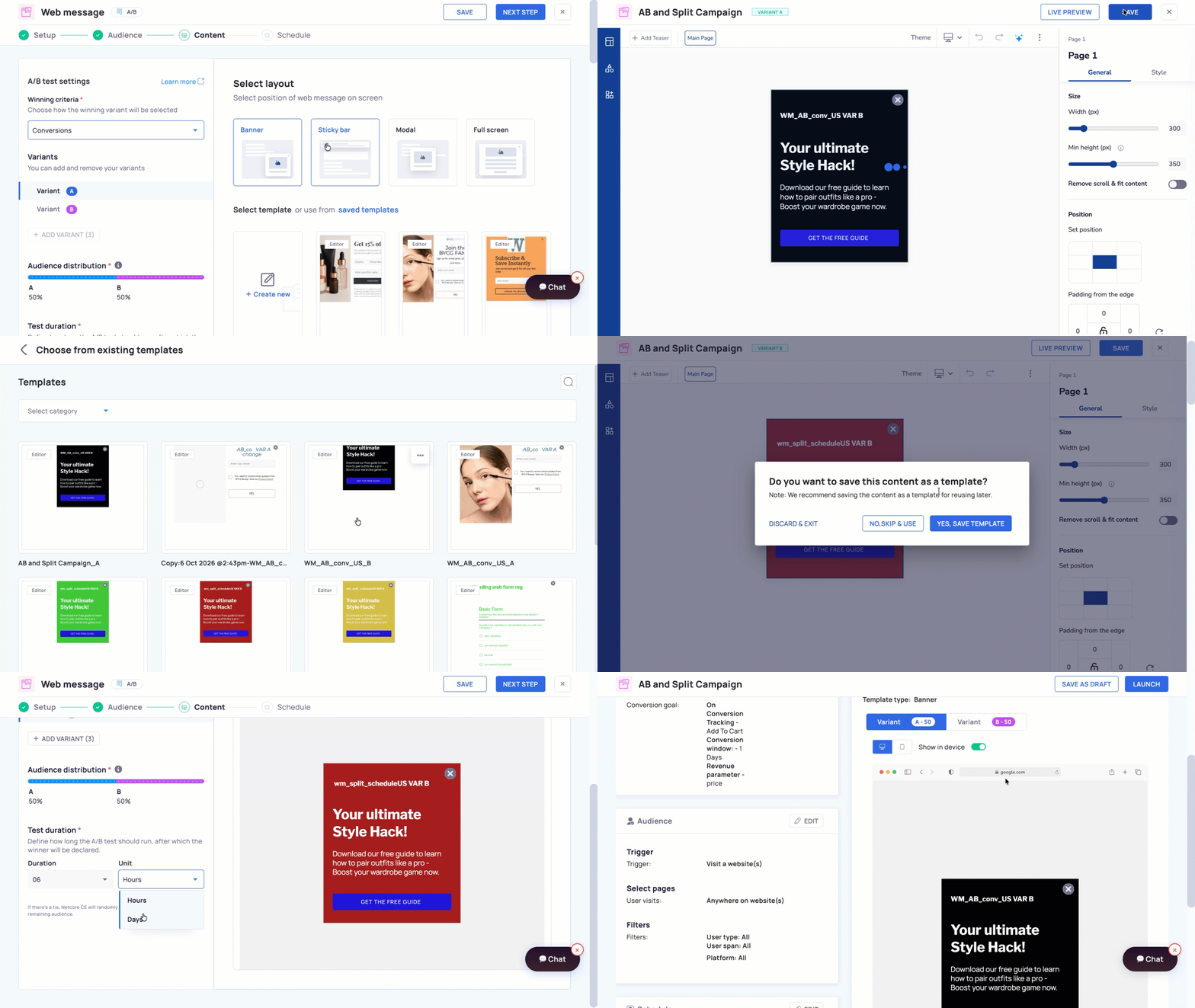
Until now, Web Message campaigns were limited to running a single message variant, making it harder to compare different content and identify what works best with your audience. Now, you can create A/B and Split Web Message campaigns to test multiple message variants and compare their performance.
What’s New
Added support for A/B and Split campaigns for Web Messages.
Create multiple message variants within a single campaign.
Use A/B testing to identify the best-performing variant.
Use Split testing to distribute different variants across your audience and compare performance.
Why It Matters
Test different messages to identify what resonates with your audience.
Compare campaign performance without creating separate campaigns.
Optimize Web Message engagement using data-driven insights.
Important Note
Once this feature is enabled, templates created using the BEE Editor and Pseudo Editor will no longer be supported across all campaign types including Regular campaigns as well.
Only templates built with UCE or Custom HTML can be used going forward in all campaign types.
Navigation: Engage > Campaigns > Create > Web Message. Reach out to me to get this feature enabled for your account until the feature is generally available (GA).
Refer to the documentation to know more.