Interactive App push Notification for iOS is available Now !🎉
We're excited to announce the launch of the most awaited Advanced Push Notifications, a powerful tool for marketers looking to capture their user's attention and drive action. With so many notifications competing for attention, it's essential to make yours stand out, and our new types of push notifications can help you do just that.
Our Timer template enables you to include a timer in your notification, while the Progress Bar variant allows you to add a progress bar to the timer. And with the Rating template, you can allow your users to submit ratings over a notification. These templates can lead to increased engagement and a better user experience.
These 3 templates previously available for Android are now available for iOS.
Prerequisites
- iOS SDK version 3.3.0 onwards. SDK is released now, please upgrade your SDK to use this feature!
- IA2.0 should be enabled.
- APN 2.0 should be enabled.
Please refer to integration documentation for SDK version update- https://cedocs.netcorecloud.com/docs/ios-new-sdk-integration But we're not stopping there! We have more options coming soon, including Small Image, Overlay on Image, Edge-to-edge Carousel, and Edge-to-edge Image templates. Stay tuned for even more ways to enhance your push notifications.
Here are some more details on the currently available templates:
Timer:
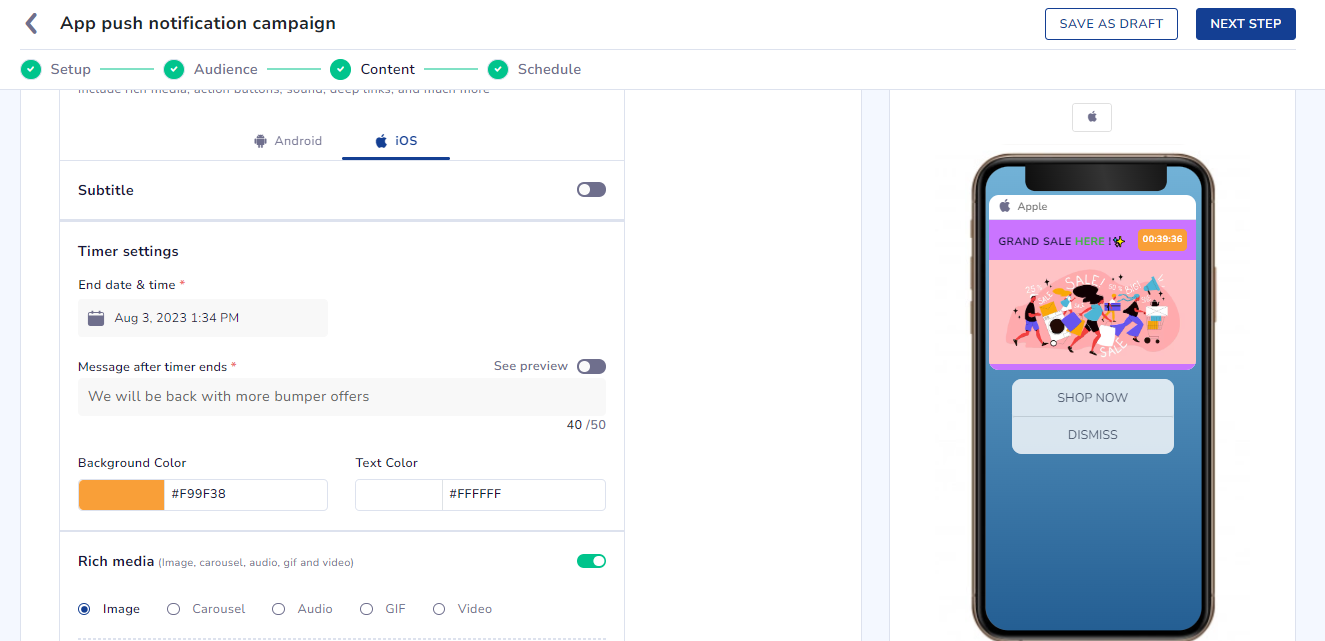
- Select an end-time for the timer (maximum time allowed is 24 hours and minimum is 1 hour).
- Customize the color of the timer with background color and text color options.
- Replace the title and body of the notification with a message after the timer has ended.
- See a preview of how the notification will look when the timer ends and the message is shown.
Progress Bar:
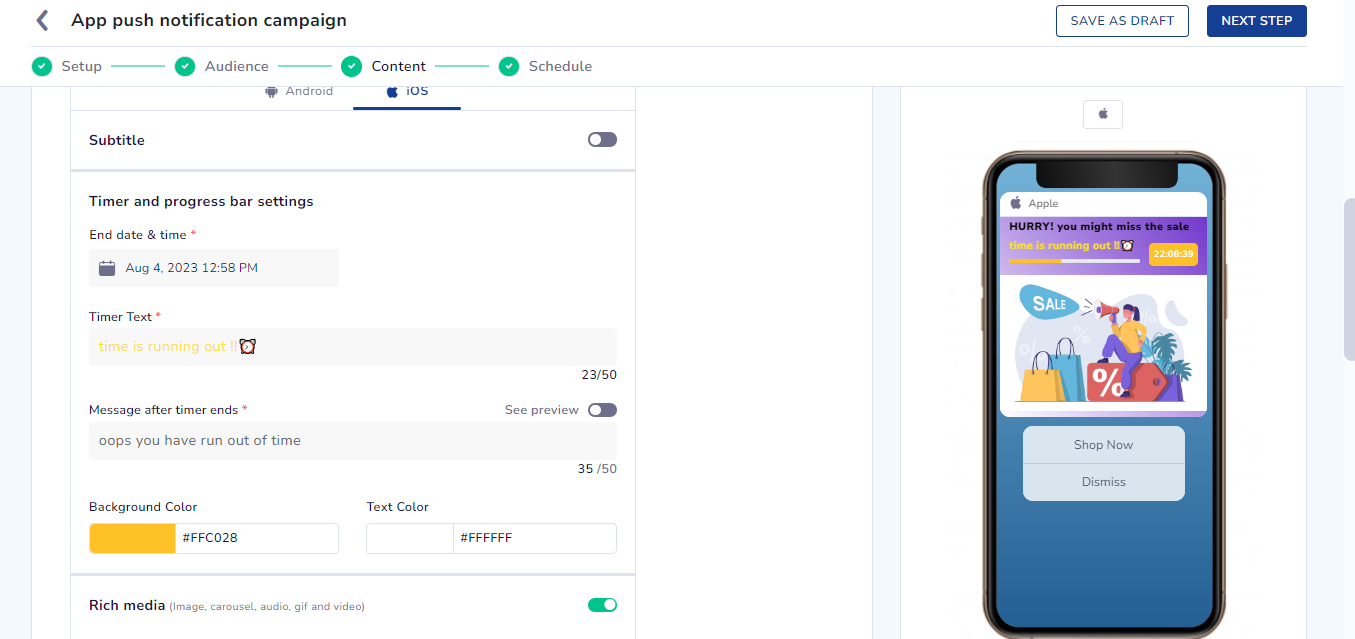
- Same options as the Timer template, plus the ability to add a progress bar to the timer.
- The timer text will be shown along with the progress bar.
- Using Timer & Progress Bar in Journeys:
- Make sure the journey end-time is not greater than the timer or progress bar end-time.
- Make sure the TTL is not greater than the timer or progress bar end-time.
Rating:
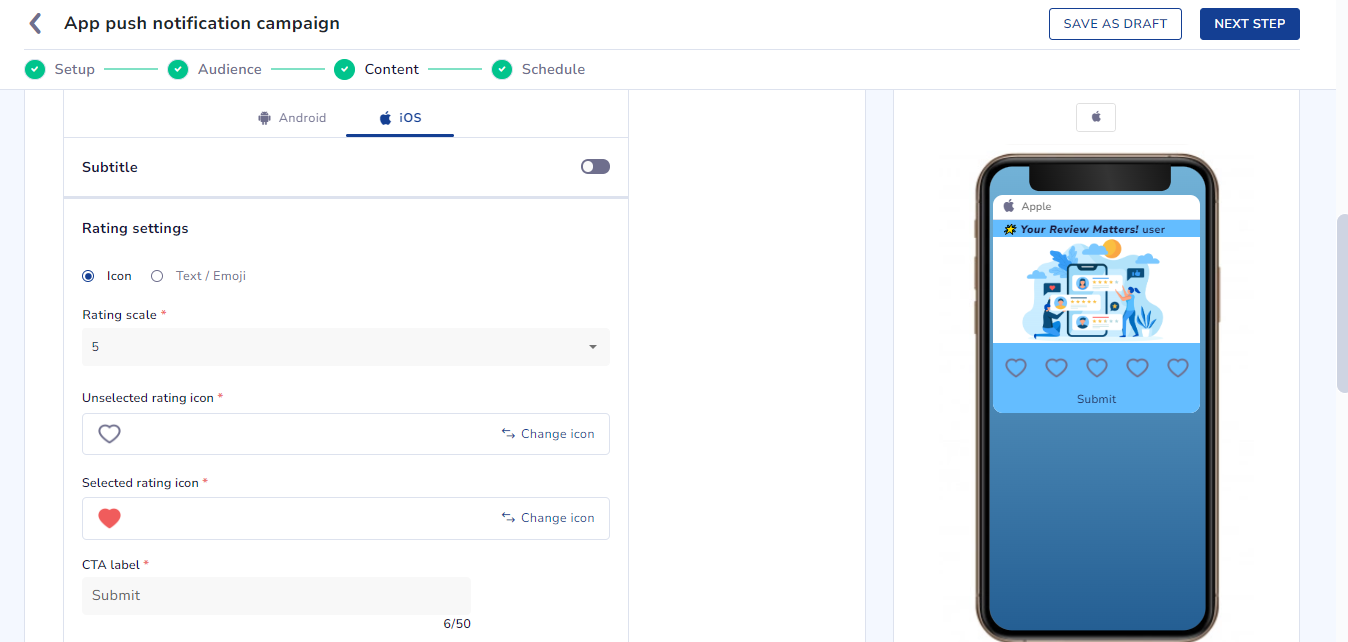
- Select from a list of preset icons or upload your own icons.
- Add words or emojis as ratings.
- Select the number of selections to be provided for rating between 2, 3 and 5.
- Provide a deeplink for the notification to open after submitting the rating.
- Capture user rating with event name "smt_pn_rating" and use it for segmentation, trigger events in journeys, and behavior dashboard.
Make your app push notifications even more attractive and detailed using background color feature!
You can now add background color to your notification as well as customize the degree of opacity of the color.
You have the option to add a solid color or use a gradient option where you can define a two-colored gradient effect with a customizable angle setting.
Please note:
- Background color support is available.
- Feature available only on the 2.0 version of CEE and APN.
Key points:
- Add a single solid color to your notification
- Use gradient effect with 2 different colors as well as choose the angle of the gradient
- Opacity can also be customized as per your requirement
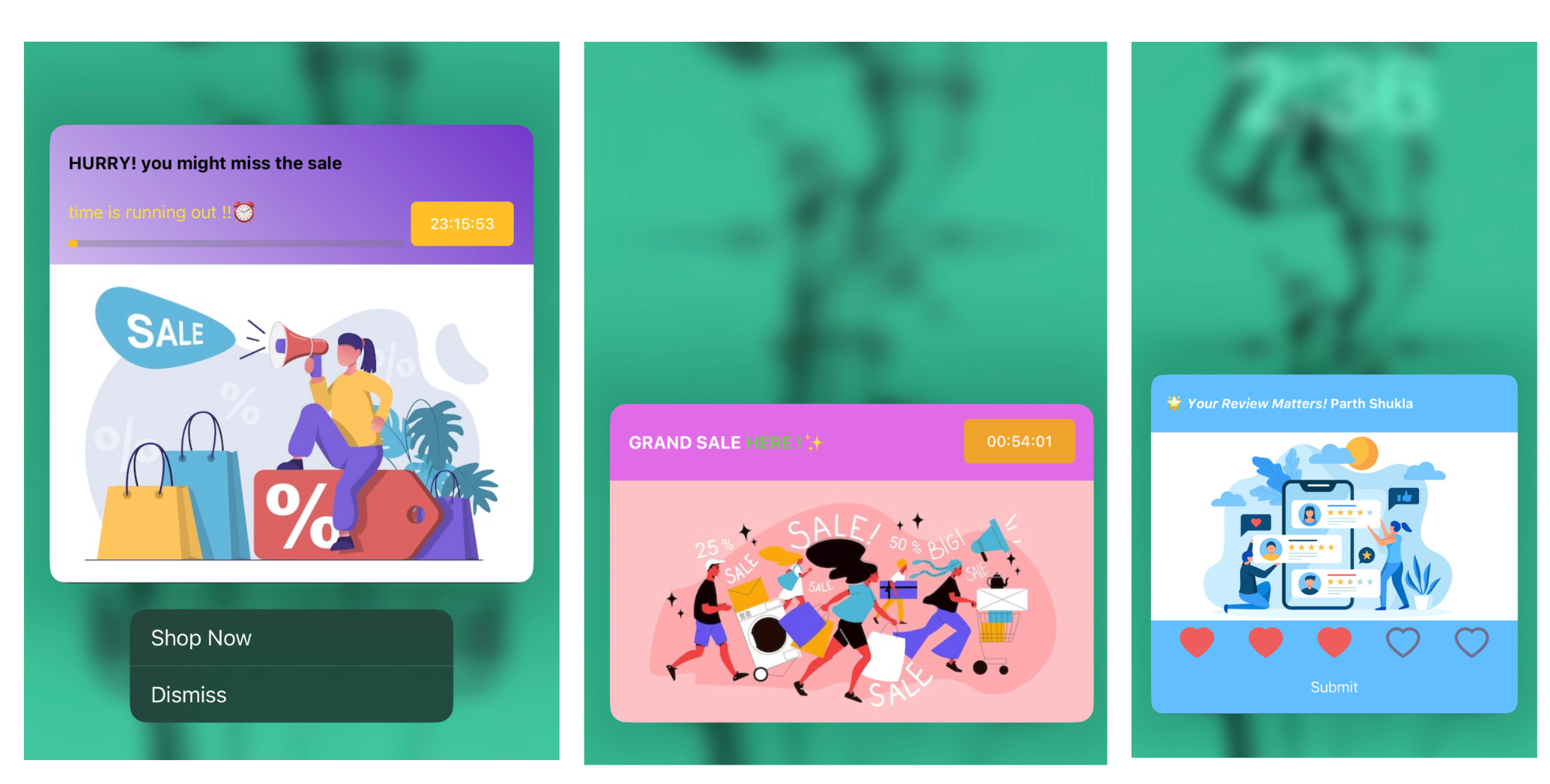
OUTPUTS :
For more information please contact us at [email protected]