Segment export logs✅
Do you wish you could monitor your exports like you can for incoming data (eg. Bulk upload of contacts)? We've got you covered!
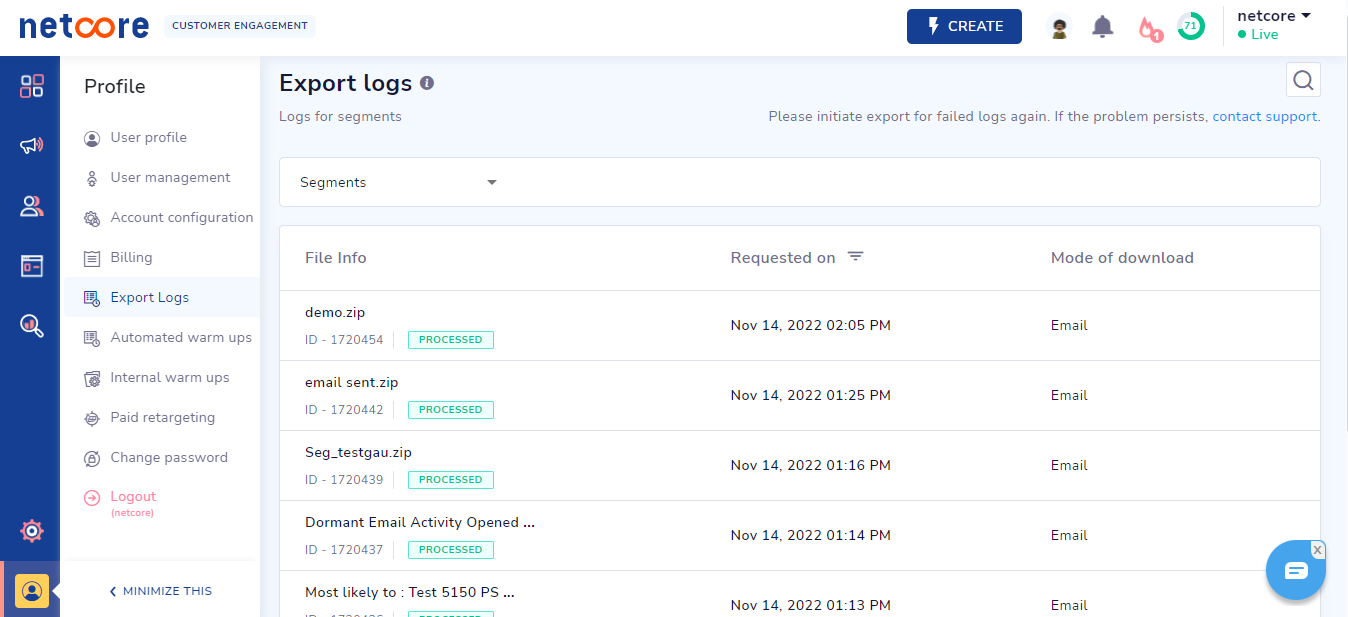
We have now released Logs for tracking segment exports. Any Segments that are exported can be tracked as they are being sent across to your email!
Key features:
- All segments exports (Normal, RFM, Funnel, Churn segments) can be monitored
- Each export name will be based on the name of the segment
- Request ID, Requested timestamp (you can also sort on requested time)
- Progress status bar (Queue, In-progress, Processed, Failed)
- Search via Request ID or Segment Name
- Mode of download & the recipient details
You can access the logs dashboard via Profile > Export Logs
Note: Available only to IA2.0-enabled panels. Please contact the account manager & upgrade to the all-new CE!
Please share your feedback below📝