Updating contact details of the panel📝
Users can now edit their registered contact details from the panel itself👇
Update your registered contact details within the panel in no time.
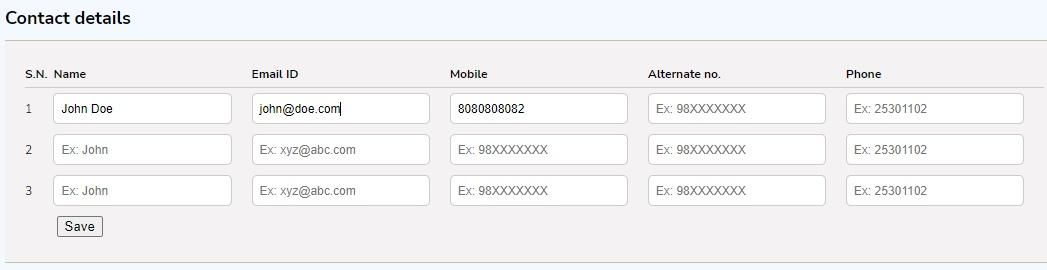
Make changes to your contact details by navigating to Profile > Account configuration and update your information under Contact details.
Key details
- You can add comma-separated values in case more than 3 Email IDs are to be registered for a panel. However, you can only add a maximum of 9 contact numbers - 3 mobile numbers, 3 alternate numbers & 3 phone numbers.
- Please add the contact details with the appropriate syntax. (e.g. email IDs as [email protected], contact number digits between 5-17)
- Once you are done with adding/editing/removing the details, just click on the Save button below to save the changes.
- Please note that the above configuration can be done and will be visible only to the Admin profiles.