Node wise analysis in Journeys powered by Co-marketer
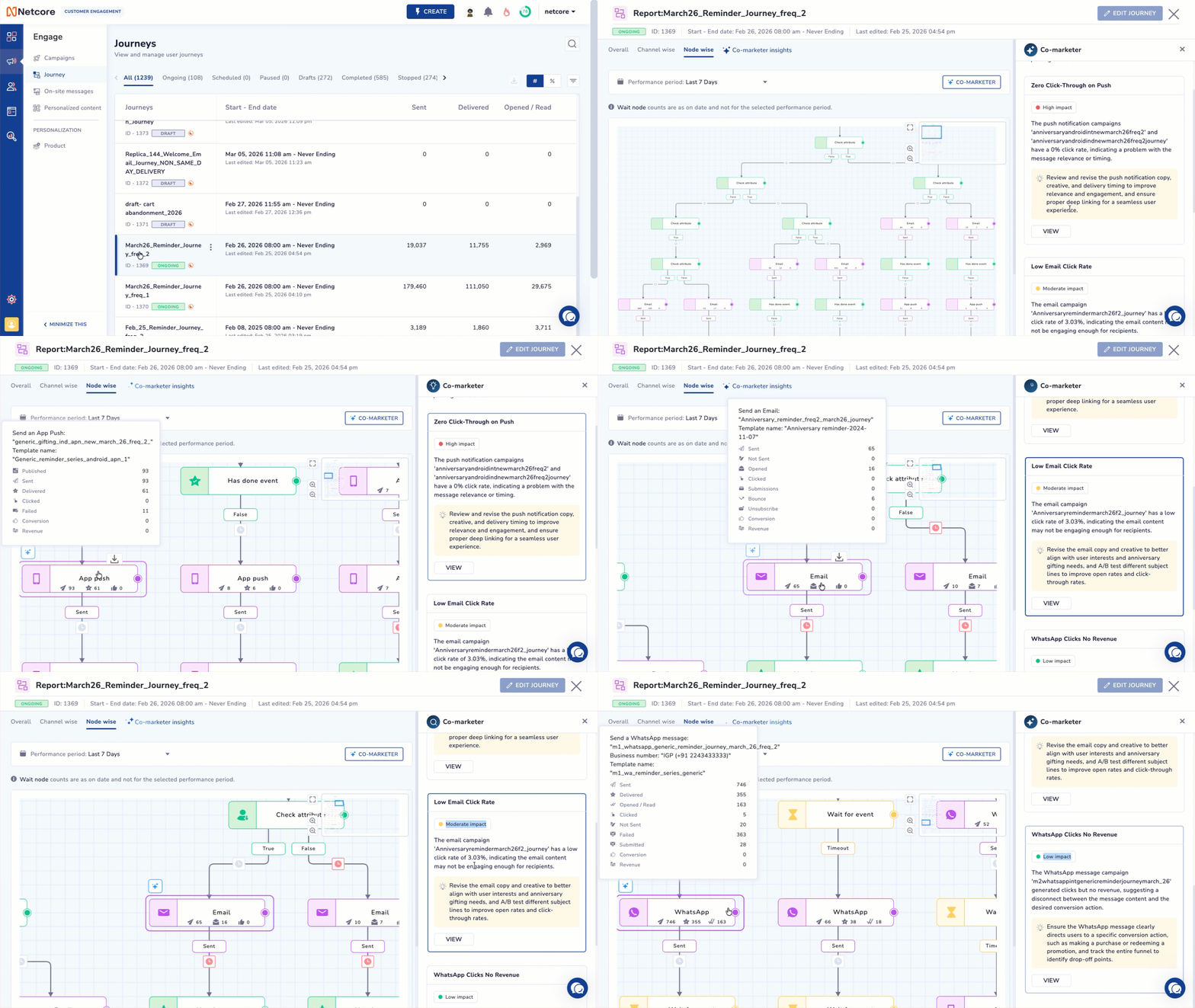
We are excited to announce the extended the Co-marketer functionality to Node wise analysis in Journeys. This update delivers contextual recommendations, industry benchmarking, and a visual troubleshooting experience directly on your journey canvas.
What’s Improved
Added Multi-Level Optimization Engine: Delivered actionable recommendations across three levels:
Path-Level: Identified structural inefficiencies (e.g., excessive reminders).
Node-Level: Highlighted underperforming nodes with improvement suggestions.
Global-Level: Flagged overall journey gaps (e.g., missing wait steps).
Added Industry & Global Benchmarking: Enhanced insights using vertical-level benchmarks and global best practices for more contextual and reliable recommendations.
Added Interactive Canvas Navigation: Enabled click-to-locate functionality that automatically pans, zooms, and highlights the relevant node on the canvas.
Added Visual Alert Badging: Mapped recommendations with numbered badges on the canvas, making it easier to identify and act on issues.
How It Works
Auto-Launch: Navigate to the Node-wise tab of any active journey. The Co-marketer side window will automatically open, pre-loaded with your tailored optimizations.
Navigate Visually: Review the numbered list of insights. Click on any specific recommendation, and the canvas will instantly zoom in and highlight the exact node requiring attention.
Manage Alerts: If you close the drawer (via the ‘X’ button), you can easily reopen it at any time by clicking the floating “Journey Alerts (X)” button on your canvas.
Additional Notes
Non-Conversational: To ensure fast and highly targeted audits, this feature does not currently support open-ended chat queries (Conversational capabilities across multiple journeys will arrive in the upcoming Phases).
Static Execution: The recommendations provided are advisory. Clicking an insight locates the node, but users must manually make the suggested edits to the journey structure or content.
Availability: Enabled by default for all panels with the Insight Agent activated. No additional setup required.
Key Use Cases for Clients
Frictionless Debugging: Eliminating the time spent hunting for a broken step. A marketer can click an alert and be taken exactly to the node causing the drop-off.
Data-Driven Structural Tweaks: Understanding when to cut down on excessive reminders or when to add crucial Wait nodes to prevent audience fatigue, backed by global data.
Smart Channel Swapping: Easily identifying when to swap an underperforming email for a higher-converting channel like WhatsApp or RCS based on industry-proven benchmarks.
Refer to our documentation for more information.