Databricks to Netcore CE: Import Warehouse Data Without Manual Uploads
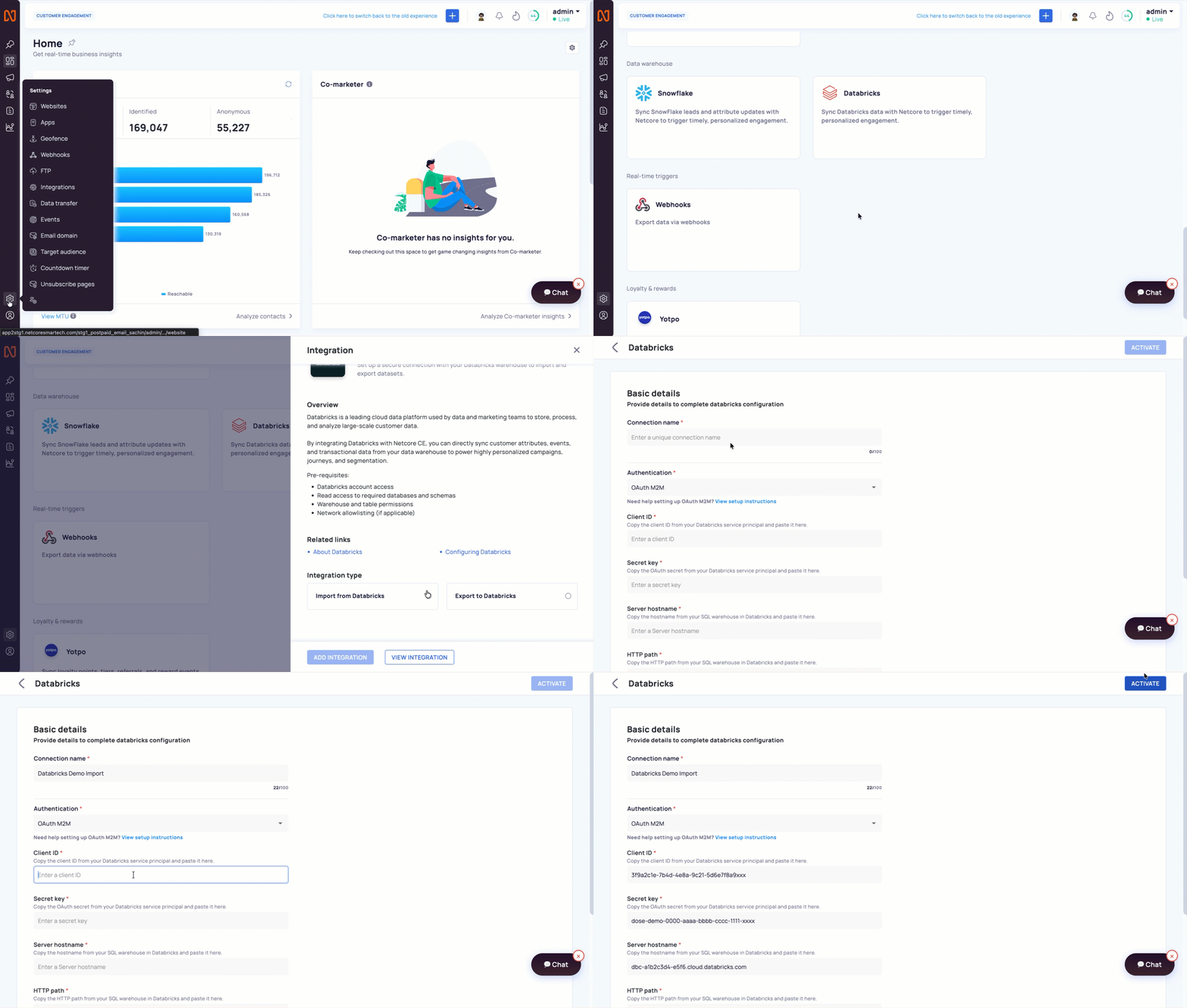
Until now, bringing warehouse data into Netcore CE meant manual uploads.
Now, you can connect Netcore CE to Databricks and import contacts/events straight from a Databricks table or view.
What’s New
Added a Databricks integration under the Data warehouse category. It connects to a Databricks SQL warehouse with OAuth M2M credentials from a service principal.
Import contacts from a Databricks table or view into the contact master. Add them to lists if you want.
Map Databricks columns to Netcore CE attributes. Create a new attribute when none matches.
Run a one-time import or a recurring schedule. The first recurring run transfers the full dataset. Later runs transfer only incremental data.
Why It Matters
No more manual uploads: keep attributes such as loyalty tier and lifetime value current on a schedule.
Use your warehouse models in campaigns: import scores, RFM segments, or churn propensity as contact attributes for segmentation.
Stay secure: the connection uses a service principal, not a personal login.
Prerequisites: read access to the Databricks catalog, schema, and table or view; the service principal’s Client ID and Secret key; the Server hostname and HTTP path of your SQL warehouse; an EMAIL column and an Updated on timestamp column in the source; an alert email address.
To integrate: Navigate to Settings > Integrations > Data warehouse > Databricks.
To start an import: Go to Settings > Data transfer > Import > CREATE NEW.
Refer to the documentation here:
