What's New

Follow new updates and improvements to Netcore CE.

Avoid disturbing customers during quiet hours with day-level DND control
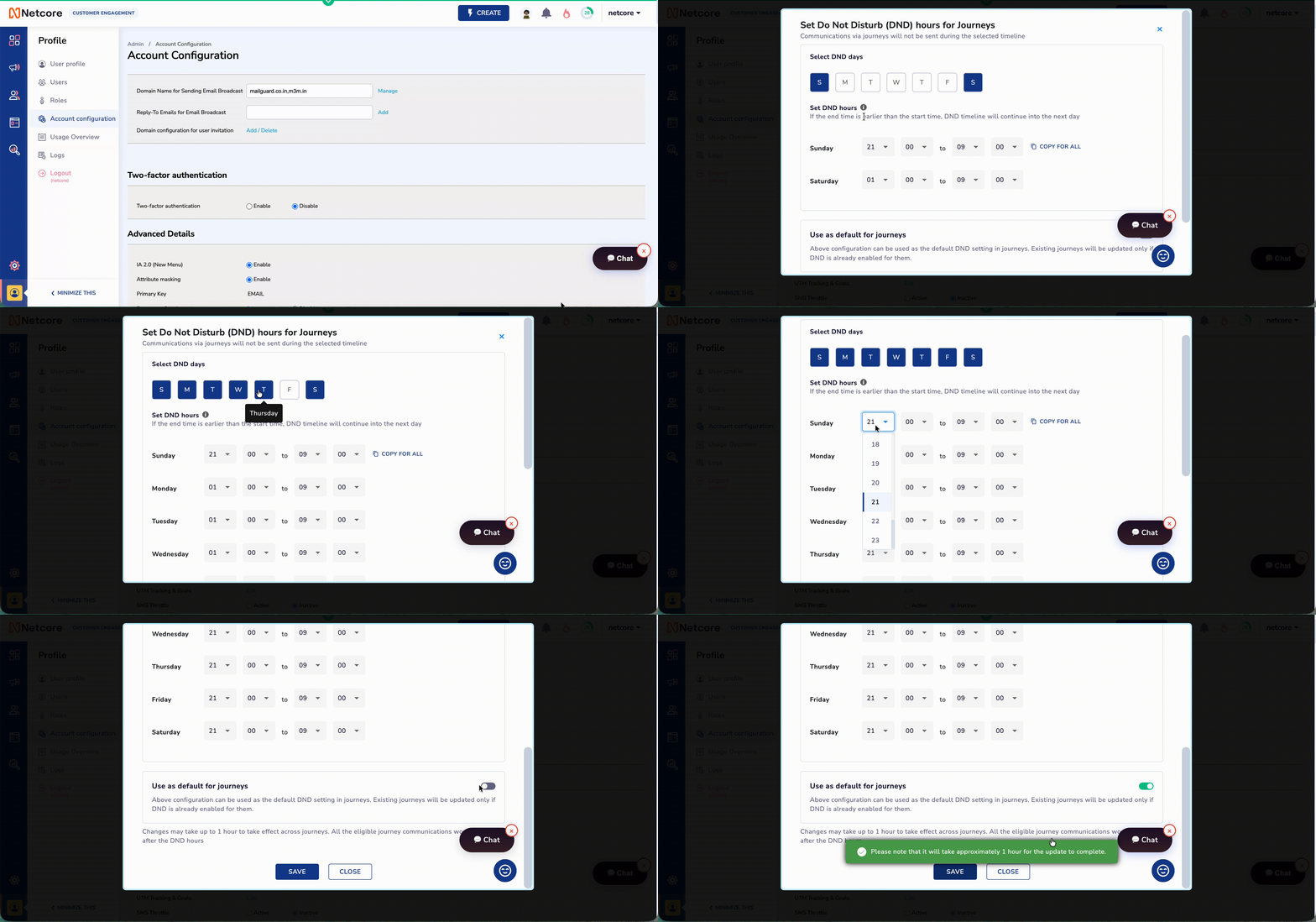
You can now configure Do Not Disturb windows separately for each day of the week, so your journeys only send messages during the allowed communication hours for that specific day.

For example, you can pause weekend communication completely, keep weekday messages active during business hours, or set different quiet-hour windows for high-engagement and low-engagement days.

What’s new

  • Choose the exact days when messages are allowed to go out.

  • Set different DND hours for each selected day.

  • Copy one day’s schedule across the week to save setup time.

  • Automatically hold messages triggered during quiet hours and send them when the next open window starts.

This helps you avoid disturbing customers at the wrong time, respect regional quiet-hour requirements, and continue delivering triggered journey messages without dropping them.

Go to Account Configuration to set up custom day-level DND windows for your journeys.
WhatsApp & RCS Reporting Update: Bounce Metrics Now Available

We have refined how message outcomes are reported for WhatsApp and RCS, aligning Netcore CE with industry standards. Previously, messages that could not be delivered, such as numbers that were not available on WhatsApp, were counted under Failed. This dragged down failed metrics, unrelated to the campaigns and journeys actual performance.

What is Changing

  • Made Sent a deterministic, Netcore-derived metric — no longer dependent on channel webhooks.

  • Clarified what Not Sent means and how it is reported.

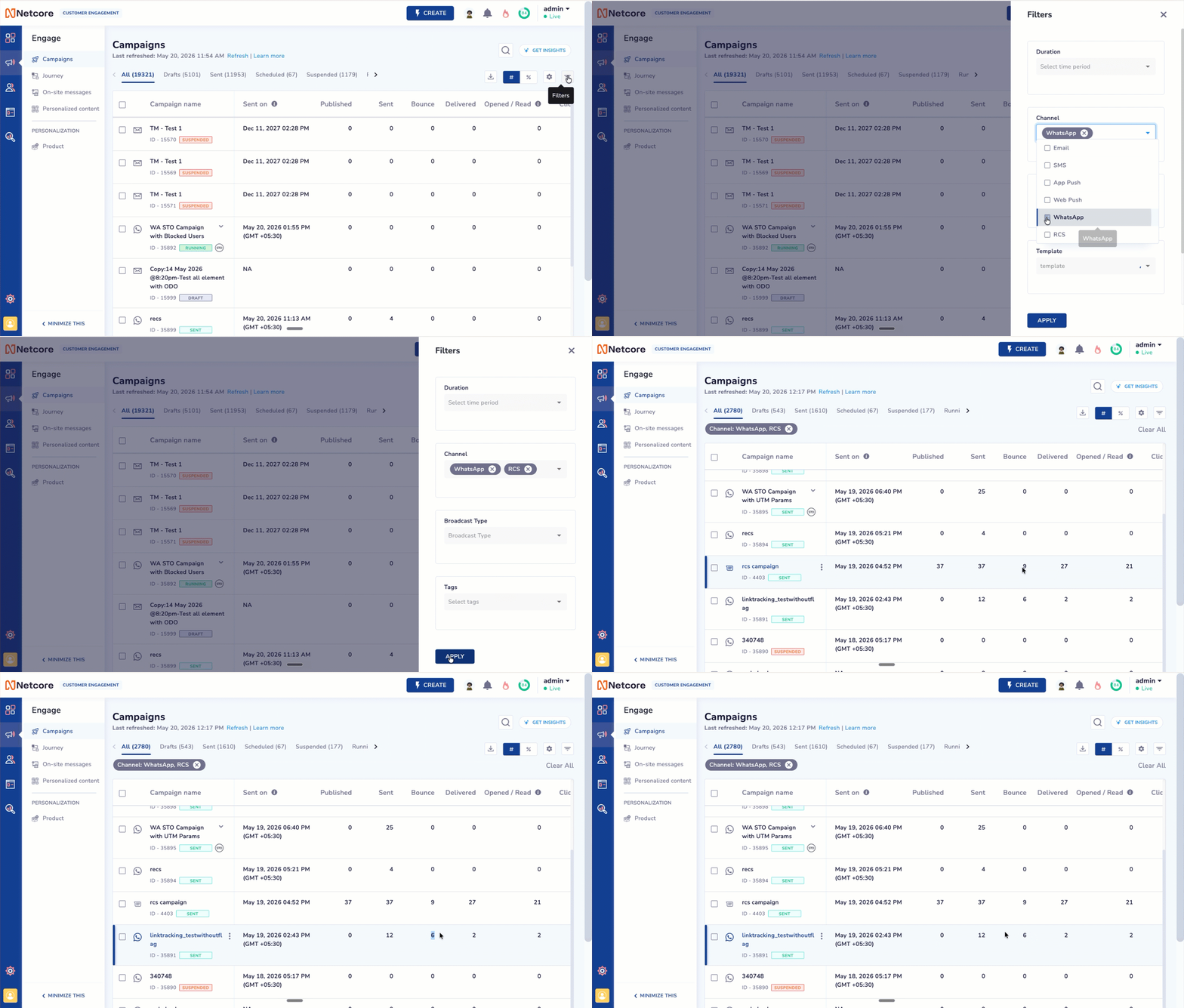
  • Introduced a new Bounce metric for WhatsApp and RCS.

  • Updated the Failed % calculation to exclude bounced messages.


These changes apply uniformly across Campaigns and Journeys, across WhatsApp and RCS.

Impact Areas
You will see these changes reflected in:

  • Campaign Summary and Detailed Reports — for WhatsApp and RCS campaigns.

  • Journey Summary and Detailed Reports — for Journeys using WhatsApp and RCS nodes.

  • Campaign listing page — Bounce now appears as a reporting metric.


    Heads up: After the release, your Failed count will reduce and Failed % may shift. This is expected — the underlying performance of your campaigns & journeys hasn’t changed, only how it’s reported. For more details, refer to detailed documentation.

    PS Note - It will be released on India IDC thursday (May 21) and next week it will be on EU and US idc.

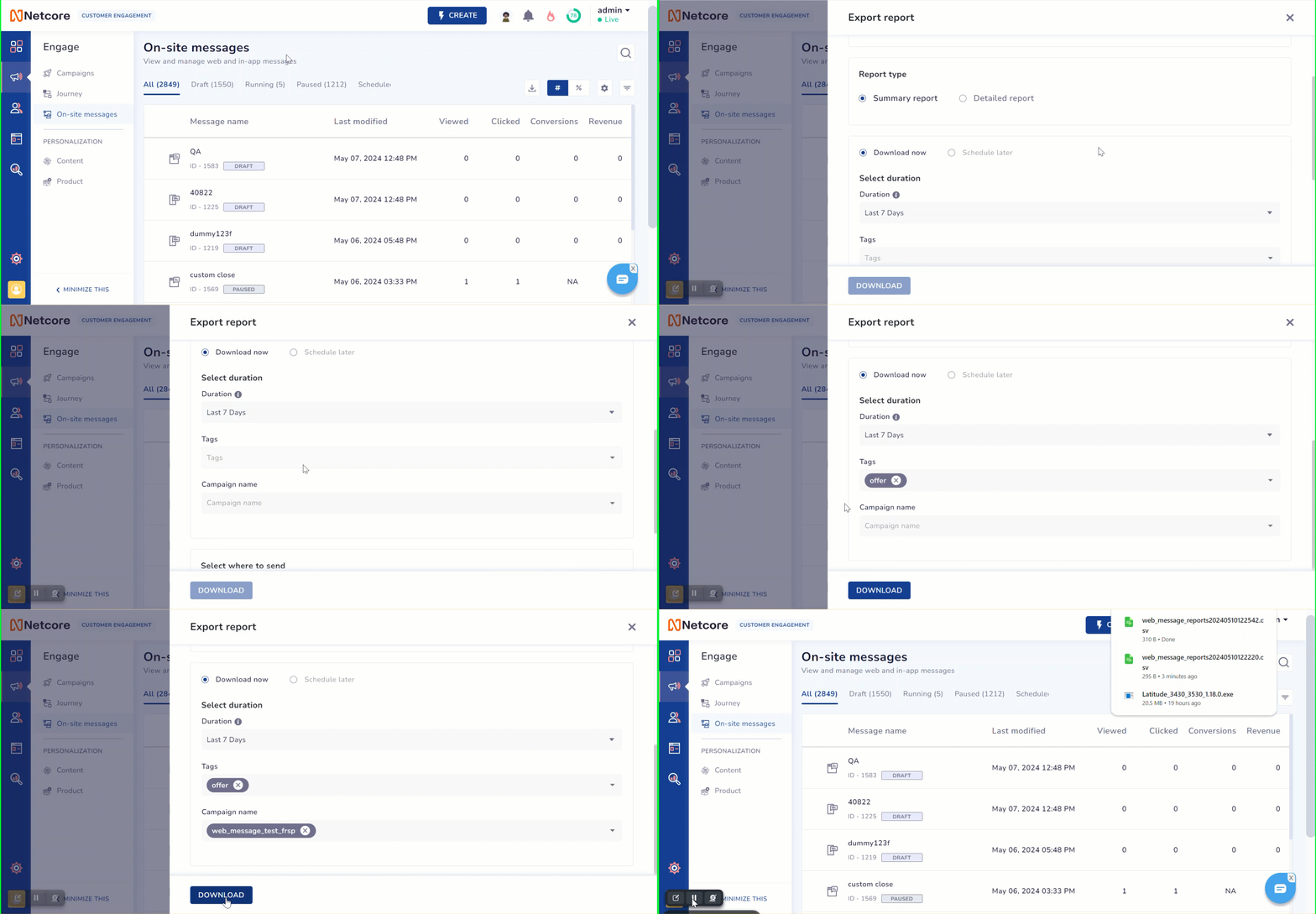
Enhanced Duration-based Reporting for Onsite Campaigns (WebMessage & In-App)

We’ve enhanced the Onsite Reports for WebMessage and In-App channels to provide marketers with more precise insights into campaign performance. Previously, reports displayed cumulative campaign data from the start date to the present. With this update, marketers can now download performance reports for a selected time duration.

This improvement enables better visibility into how campaigns are performing within specific periods. Marketers can now easily analyze key metrics—such as views, clicks, and conversions—within a chosen timeframe, helping them make informed decisions and take timely corrective actions to optimize campaign effectiveness.

💡 The report download functionality remains unchanged—only the data inside the downloaded report now reflects the selected duration.

Report Documentation Link

Improvement

Earlier updates