
What's New

Follow new updates and improvements to Netcore CE.

Build and Test App Push Notifications Without Leaving Your Journey
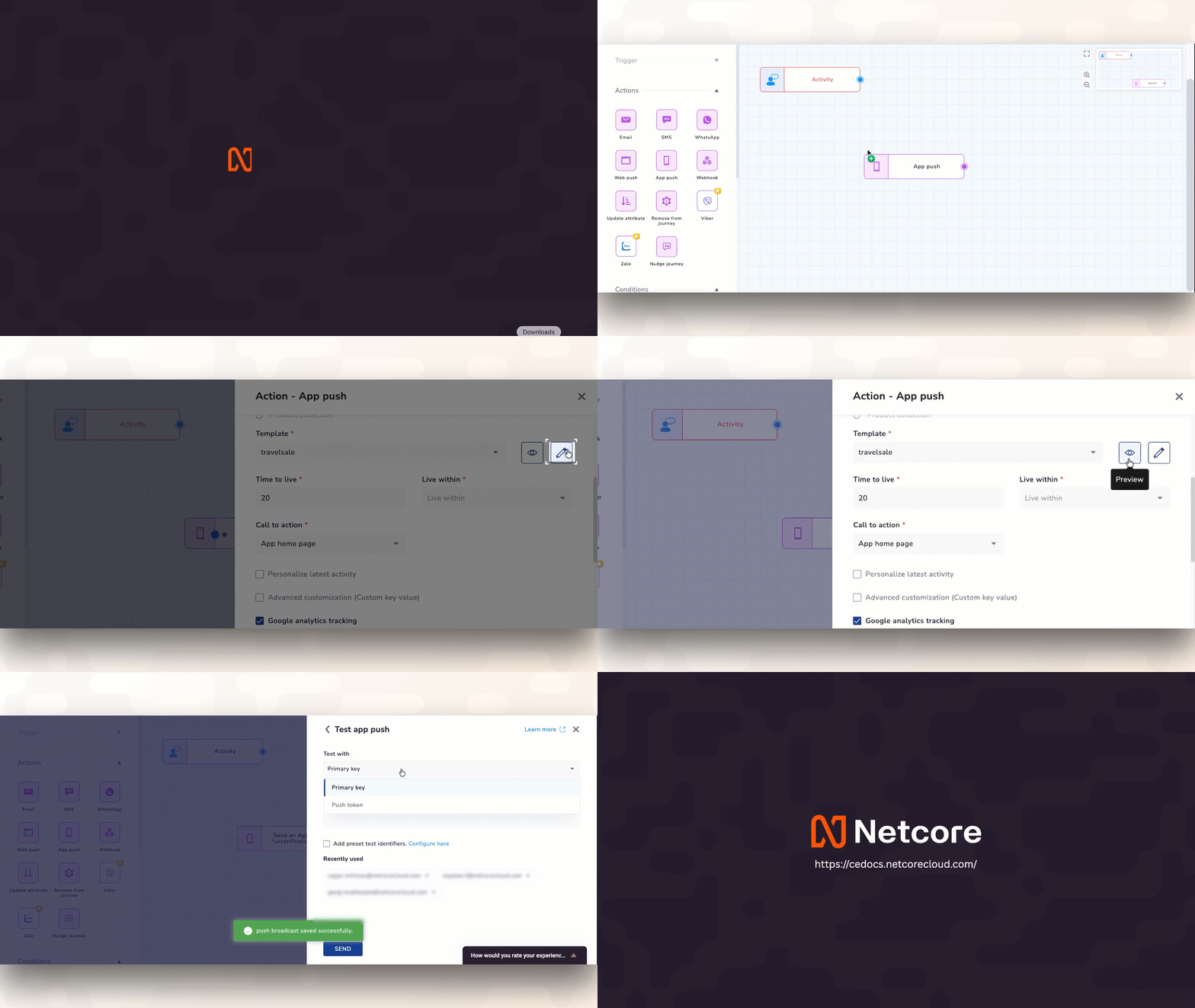
Designing multi-step customer journeys requires absolute focus. To speed up your setup, we have brought full template control directly into your App Push (APN) step, matching the exact, seamless workflow you already use for building Email actions. No more bouncing between tabs, navigating menus, or losing your place just to create or fix a notification.

What’s New

  • Create a brand-new push notification or tweak an existing one directly from the journey map, with Instant Creation and On-the-Fly Editing, letting you update the master copy or safely duplicate it so you don't disrupt other active campaigns.

  • Get Instant, Live Previews to see exactly how your text, images, and deep links will look on user devices before your journey goes live—no guessing required.

  • Blast a quick test notification to your test profiles directly from the node you are editing, giving you Fail-Safe Testing in Seconds, and validate your personalization tags and logic on a real device instantly.

Why It Matters

By unifying your design, editing, and testing inside a single workspace, you eliminate configuration errors and launch automated campaigns significantly faster. It’s a familiar, frictionless setup that gets your ideas live in minutes, not hours.
Refer to Documentation

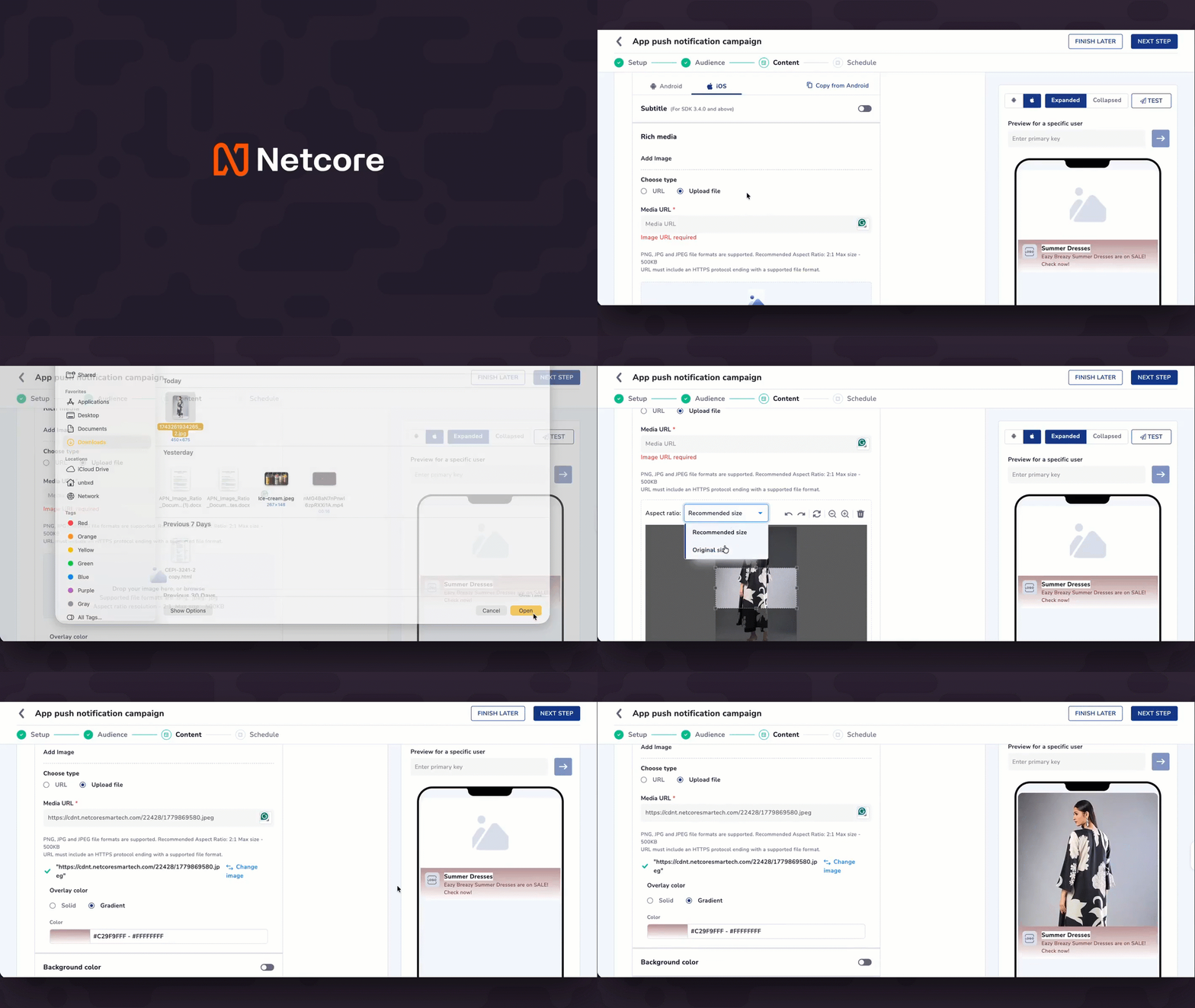
App Push(iOS) now lets you display images in their exact uploaded dimensions

You no longer have to crop every iOS push image to 2:1. A new option lets you upload an image and display it exactly as-is — no resizing, no pixel loss — while the recommended 2:1 format remains available for campaigns where it fits best.
What's new

  • New image dimension option: When uploading images for iOS campaigns, choose between the recommended 2:1 ratio or keeping your image's exact uploaded dimensions — square, portrait, or panoramic.

  • All iOS rich media templates supported: Both options work seamlessly across all iOS App Push Notification (APN) rich media templates.

Note: Android push notifications continue to use the standard 2:1 format to maintain layout stability across devices.

Refer to the App Push Notification documentation here.

Enhancement

App Push Now Supports Larger Image Size

App Push notifications now support significantly larger images, allowing for sharper, higher-fidelity visuals across all rich media templates on both Android and iOS.

With this enhancement, you can:

  • Upload single-image assets up to 500 KB (previously 40 KB).

  • Upload up to 100 KB per image for Carousel (max 5 slides) and Multi-Icon templates.

New and edited campaigns use the updated limits automatically. Existing campaigns are unaffected.


Check product documentation here.

Enhancement

Earlier updates